How To Create Convincing Fake Tweet Screenshots
Our ancestors would be jealous of us. We live in a time when 99% of all human knowledge is not only available nearly instantaneously, but also accessible from pocket-sized devices. 100 years ago it would take nearly an entire lifetime for someone to be exposed to the same amount of knowledge someone today could get in about 24 hours. Pretty mind-blowing when you think about it.
And yet, what we have chosen to do with this incredible gift leaves a bit to be desired. The internet is filled with all kinds of misinformation and disinformation designed to upset us, divide us, and sometimes just straight up troll us. Social media sites learned a long time ago that discontent and abrasive users are more likely to constantly engage with their platform, which lets them serve more advertisements to these users and ultimately increase their bottom line. These controversial users also have the added side effect of creating more discontent and abrasive users that do nothing but argue with each other, further driving up engagement. It’s a big toxic cycle.
If I’ve ruined social media for you, first off I apologize. Second off, really? You haven’t noticed this? The only social media sites I’m typically on are LinkedIn (which has it’s own issues, believe me), and Reddit, and even I’ve noticed how rotten things have gotten.
Something I see a lot of when browsing Reddit are screenshots of social media posts. These typically come from X, or the website formerly known as Twitter. One particular day I saw a screenshot that caught my attention:
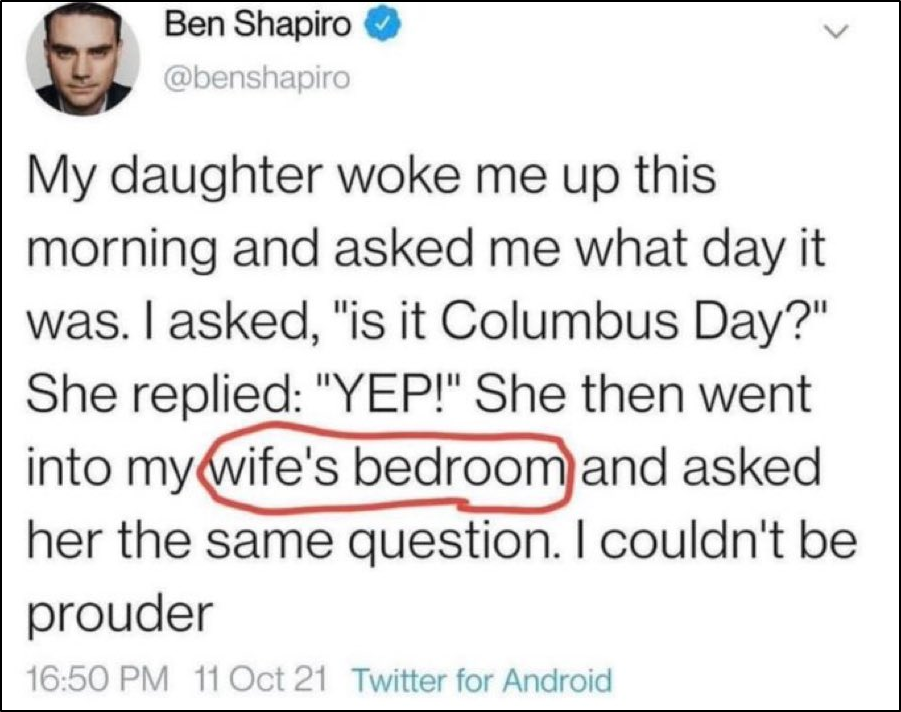
If you don’t know who Ben Shapiro is, I wish I could be like you. If you really want to know though, he’s a right-wing social media influencer and media personality that has made a bit of a name for himself with controversial tweets and YouTube videos. I’m no defender of Ben, just like I don’t defend people that do this sort of thing from a left-wing perspective, but I had to admit this tweet seemed perhaps too ironic to be true. Less than 1 minute of fact checking revealed my suspicion was correct:

And yet, going back to the Reddit thread revealed some disturbing discourse. Most people were over the moon thinking about the implications this tweet had on Mr. Shapiro’s marriage. The few people that were pointing out how fake this tweet was were getting replies like “So what? I bet it’s true anyway”. Not exactly what I’d call a healthy exchange of ideas.
I’m here today to show how easy it is to create fake tweet screenshots (I’m not sure what they’re called now on X.com, ‘posts’ maybe?). I do this not to help the spread of misinformation, but to try and increase awareness about it. If people can understand how easy it is to create this garbage, then maybe they’ll be a bit more skeptical about such images in the future.
OK, so surely you need some kind of advanced image editing software like Photoshop to create images like this? Nope! No advanced software required. I’ll only be using a standard web browser, Mozilla Firefox, and the ‘Snipping Tool’ app installed on Windows 11 by default. Let’s get into it.
First, I’ll select an account and specific tweet I want to spoof. I’ve already selected this gem from the site’s new owner, Elon Musk:
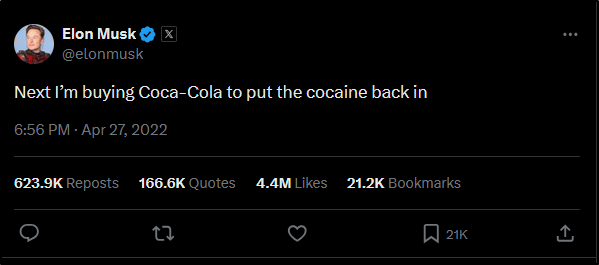
 https://x.com/elonmusk/status/1519480761749016577
I’ll right-click on the actual text content of the tweet and select ‘Inspect (Q)’
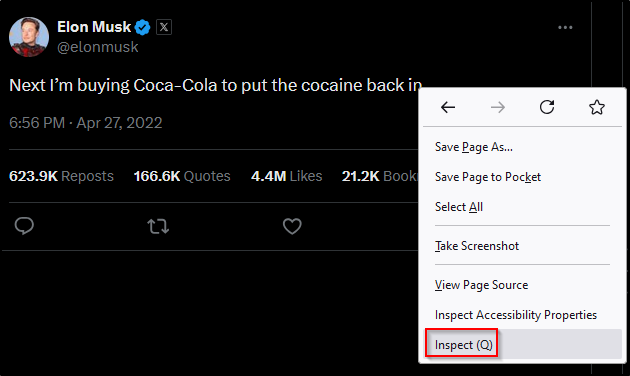
This will open the web developer console with the ‘Inspector’ tab open on the bottom portion of your web browser. In here you’ll see HTML code. I’ll spare you an entire lecture about HTML, but essentially this is the raw source code websites use to display content.
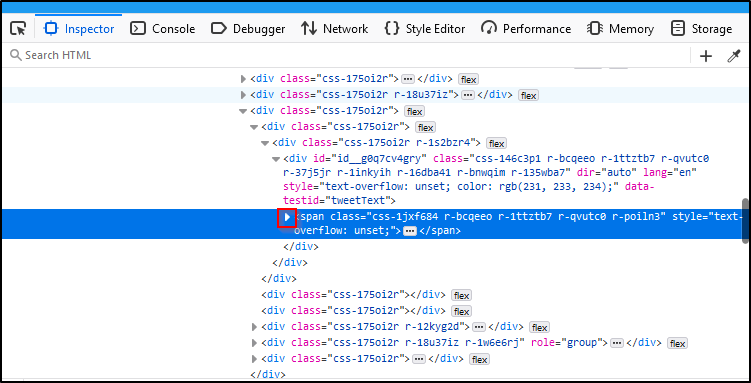
As you can see, a particular HTML element is highlighted for us. This corresponds to the element that contains the actual tweet text we right-clicked on earlier. Let’s expand this element by clicking on the arrow I’ve highlighted there

There you can see the raw text content of the tweet. Here comes the best part: this text is editable. Simply double click on the text and you can fill in whatever you want in there:
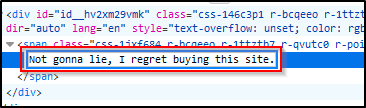
Once you press ‘Enter’ on that, go ahead and check the top portion of your screen where the actual Twitter (X) website is:
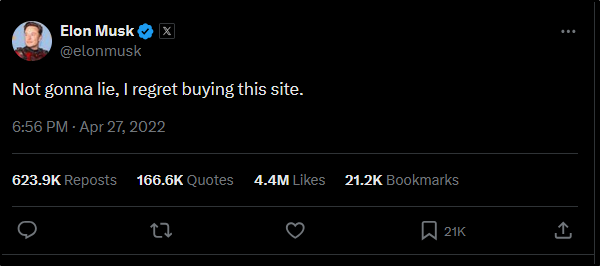
There you go. One fake tweet. If you want a screenshot of that, go ahead and open the ‘Snipping Tool’ on your Windows 11 machine and select ‘New’
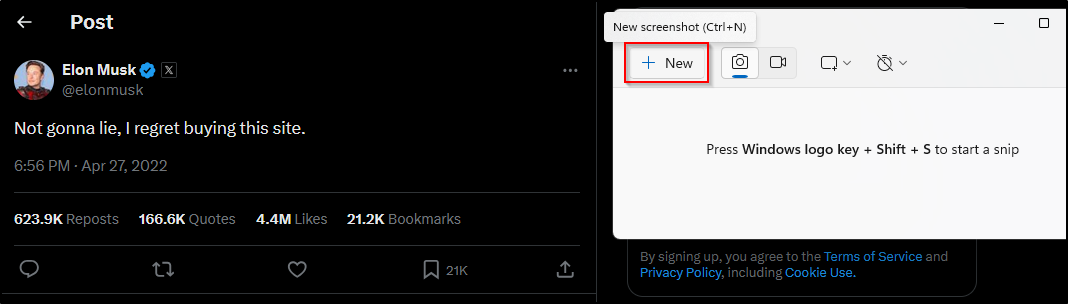
Then you can drag and drop a box around the screen section you want to capture. Make your selection and then save your image.
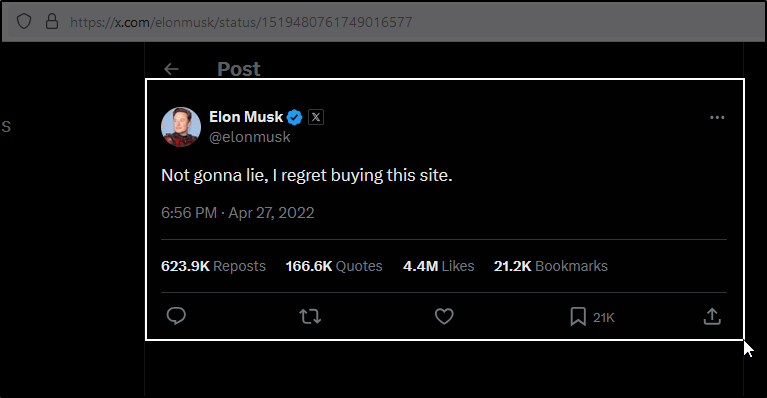
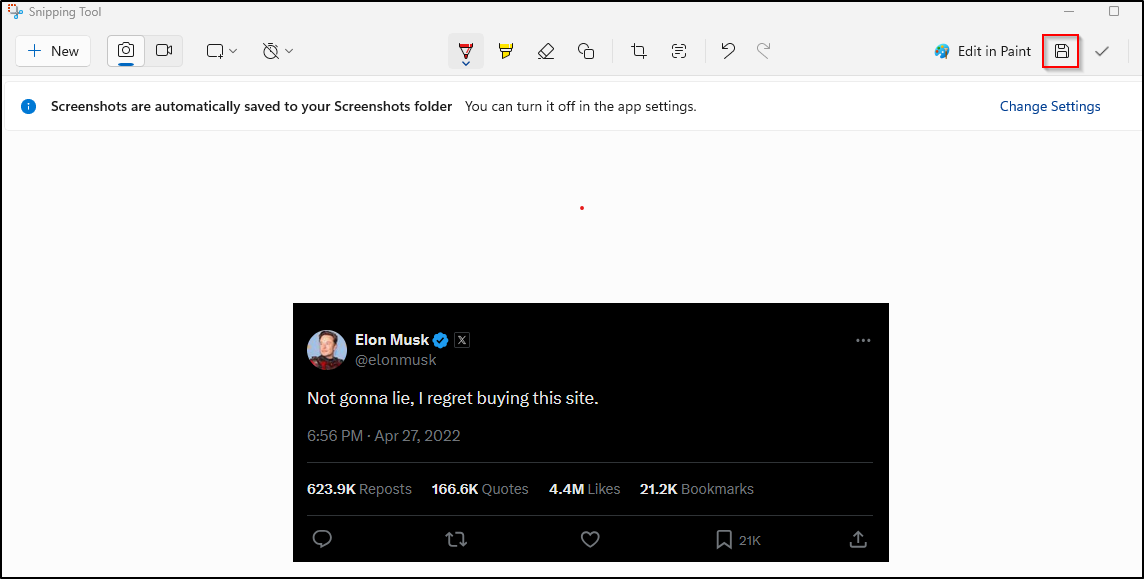
Done. Easy peasy. The really amusing thing here is that ANY text you see in this tweet can be manipulated with this technique, simply rinse and repeat. Sometimes you’ll have to dig a bit into nested HTML elements to find what you’re looking for, just be patient. Here’s me having a good time with it:
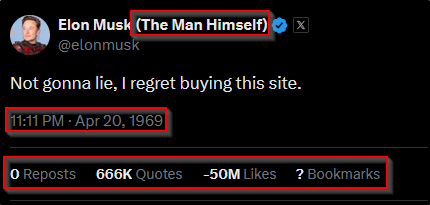
Nice. I couldn’t help myself, so here are some other fun examples:
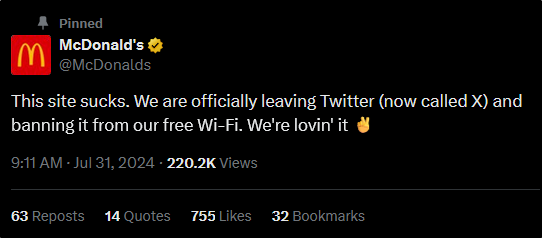
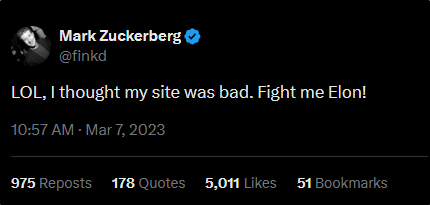
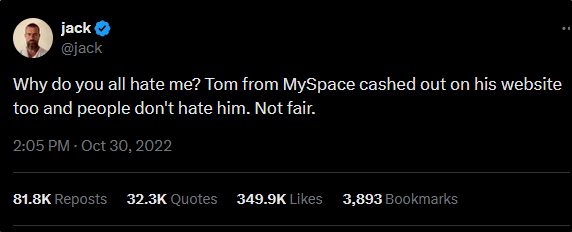
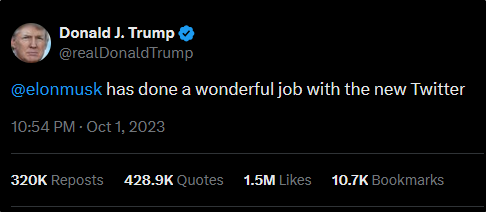
Alright, that’s enough. I must admit, the results can be pretty funny. There are a few ‘grownup’ takeaways to end on:
- Don’t trust screenshots. If you ever see a salacious tweet screenshot from someone famous or not: VERIFY IT. It’s unfortunate that so many of these fake screenshots spread on the same sites they supposedly originated on, meaning verifying them is as simple as going to that person(s) profile. You can also use fact checking sites to verify fake screenshots if you are unsure of the origin.
- Don’t fall for the bait. Even when you 100% verify a salacious tweet is real you have to ask yourself: what is this person after? Is replying to this tweet negatively in a state of discontent going to contribute anything? Typically both sides in these scenarios have dug in their heels and aren’t going to change, so I personally wouldn’t waste the time. In fact, most controversial personalities maintain their ‘infamy’ off of these negative reactions. In short: DON’T FEED THE TROLLS.
So that’s it. Please don’t use the information presented in this guide for anything nefarious. As I stated before, my only goal is education. Have a good day.